
अगर आप अपने business, service या website पर relevant visitors और enquiries लाना चाहते हैं, तो Google Ads campaign setup करना सीखना उपयोगी digital marketing skill है। Google Ads के जरिए आप उन लोगों तक विज्ञापन पहुँचा सकते हैं जो Google पर आपके product या service से जुड़ी जानकारी खोज रहे हैं।
पहली बार campaign बनाते समय objective, keywords, budget, bidding और ad copy को लेकर सवाल आते हैं। इस guide में हम beginners के लिए अपना पहला Google Search Campaign step-by-step समझेंगे। Interface और options account के अनुसार अलग हो सकते हैं।
Table of Contents
Google Ads क्या है?
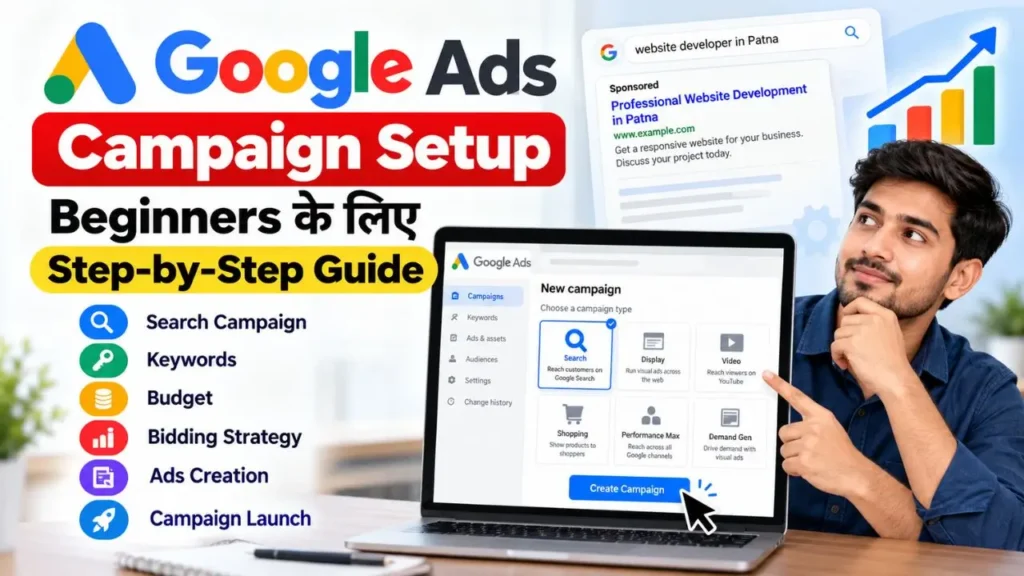
Google Ads, Google का online advertising platform है। इससे businesses अपने products, services और websites का promotion कर सकते हैं। उदाहरण के लिए, पटना में website development agency “Website developer in Patna” search करने वाले लोगों तक अपना ad पहुँचाने की कोशिश कर सकती है। Relevant targeting के बावजूद ad दिखना या top position मिलना guaranteed नहीं है; bid, competition, ad quality और search context भी असर डालते हैं।
Digital marketing की basic understanding के लिए हमारी Digital Marketing क्या है और यह कैसे काम करता है guide पढ़ें।
Google Ads Search Campaign क्या होता है?
Search Campaign में text ads Google Search results से जुड़े placements पर दिख सकते हैं। यह उन businesses के लिए उपयोगी है जो पहले से किसी product या service को खोज रहे लोगों तक पहुँचना चाहते हैं।
| User की Search | Business |
| Best coaching institute in Patna | Coaching Institute |
| Buy office chair online | E-commerce Store |
| Website developer in Patna | Web Development Agency |
| Digital marketing course | Training Institute |
Google Ads में Search के अलावा Display, Video, Shopping, Performance Max और Demand Gen जैसे campaign types भी हैं। इस article में हमारा focus Search Campaign पर है।
Campaign Setup से पहले क्या तैयार रखें?
- Google Account: Google Ads में sign in करने के लिए।
- Website या Landing Page: Ad click के बाद user यहाँ पहुँचेगा। Page पर service details, contact option और mobile-friendly design होना चाहिए।
- Campaign Goal: तय करें कि आपको traffic, sales, calls या enquiries चाहिए।
- Keywords और Ad Copy: संभावित customers के search terms, headlines और descriptions तैयार रखें।
- Billing Details: Account में उपलब्ध payment और billing setup पूरा करें।
Website की जरूरत समझने के लिए (Business के लिए website क्यों जरूरी है) पढ़ सकते हैं।
Google Ads Campaign Kaise Banaye? Step-by-Step
Step 1: Google Ads Account खोलें
Google Ads की official website पर जाएँ और Google Account से sign in करें। नया account है तो sign-up process पूरा करके business और website details भरें। Guided setup में दिए गए options ध्यान से पढ़ें और बिना समझे कोई campaign publish न करें।
Step 2: New Search Campaign बनाएं
Dashboard में Campaigns section खोलें। Plus (+) पर click करके New Campaign चुनें, objective select करें और campaign type में Search चुनें।
| Objective | कब चुनें |
| Sales | Product या service की sales बढ़ानी हो |
| Leads | Enquiries, calls या form submissions चाहिए |
| Website Traffic | मुख्य उद्देश्य website visits हो |
उदाहरण के लिए, website development agency को enquiry forms चाहिए तो Leads objective उपयुक्त हो सकता है। केवल visits चाहिए तो Website Traffic पर विचार करें। सही conversion goals configured हैं या नहीं, यह भी जाँचें।
Step 3: Campaign का नाम रखें
ऐसा नाम रखें जिससे campaign पहचानना आसान हो, जैसे “Website Development – Patna – Search” या “AC Repair Service – Patna”। Campaign name account management के लिए है; यह customer को ad में दिखाई नहीं देता।
Step 4: Bidding Strategy चुनें
Bidding Strategy campaign goal के अनुसार bids optimize करने में मदद करती है। Common options में Maximize Clicks, Maximize Conversions, Target CPA, Maximize Conversion Value, Target ROAS और Target Impression Share शामिल हो सकते हैं। सभी options हर account में उपलब्ध हों, यह जरूरी नहीं।
- Website clicks चाहिए तो Maximize Clicks पर विचार करें।
- Leads या sales चाहिए और conversion tracking सही है तो conversion-focused bidding देखें।
- Search visibility पर focus हो तो Impression Share option relevant हो सकता है।
Conversion tracking सही configure किए बिना conversion-focused bidding चुनना पर्याप्त नहीं है।
Step 5: Location और Language Targeting सेट करें
वही locations चुनें जहाँ आप वास्तव में service देते या product deliver करते हैं। Local business केवल पटना में service देता है तो Patna target करें; पूरे बिहार में service है तो relevant areas चुनें। बिना जरूरत बहुत बड़ा area target करने से irrelevant clicks आ सकते हैं।
Location options ध्यान से पढ़ें, क्योंकि वे तय करती हैं कि selected location से किस तरह के users eligible होंगे। Language settings target audience, ad copy और landing page के अनुसार चुनें। Hindi और English दोनों में ads हों तो audience की language preferences ध्यान में रखें।
Step 6: Network Settings जाँचें
Setup में Google Search Network, Search Partners और Display Network जैसे options दिख सकते हैं। इन्हें enable करने से ad placements प्रभावित हो सकते हैं। शुरुआत में campaign सरल रखें और additional networks तभी enable करें जब उनका उद्देश्य और measurement समझते हों।
Step 7: Daily Budget तय करें
Budget तय करते समय कुल advertising capacity, product/service value, एक lead की business value, keyword competition और testing अवधि पर विचार करें। Google Ads में average daily budget हो सकता है; actual spend हर दिन बिल्कुल उसी amount के बराबर होना जरूरी नहीं।
बिना planning के अधिक budget न रखें, केवल suggested amount देखकर फैसला न करें और performance समझे बिना बार-बार budget न बदलें। Clicks के साथ lead quality और conversions भी देखें। कोई एक budget सभी businesses के लिए सही नहीं होता।
Step 8: Ad Group बनाएं
Ad Group campaign के अंदर related keywords और ads को व्यवस्थित करता है। एक group में एक ही विषय या service से जुड़े keywords रखें। Website development business के लिए “Website Development”, “Website Design” और “Business Website” जैसे groups बनाए जा सकते हैं। Keywords और ad message में relevance रखें।
Step 9: Keyword Research करें
Keywords वे terms हैं जिनसे आप अपने product या service से संबंधित searches target करते हैं। Website development agency के लिए शुरुआती ideas:
- website development company
- website developer in Patna
- business website design
- website design service
Keyword research के लिए service स्पष्ट करें, customer की संभावित search सोचें, service + location combinations देखें और Google Keyword Planner से ideas लें। Relevance और competition जाँचें तथा irrelevant searches रोकने के लिए negative keywords की planning करें।
Keyword Match Types: Broad Match व्यापक related searches तक पहुँच सकता है। Phrase Match keyword के meaning से संबंधित searches match कर सकता है। Exact Match अधिक specific matching के लिए है। Match types का मतलब यह नहीं कि ad केवल उसी exact शब्द पर दिखेगा; close variants और search intent भी भूमिका निभा सकते हैं।
Negative Keywords वे शब्द या phrases हैं जिनसे आप ads को कुछ irrelevant searches पर दिखने से रोकते हैं। Paid website development service देने वाला business “free” को negative keyword बनाने पर विचार कर सकता है, लेकिन पहले जाँचें कि इससे कोई relevant search block न हो।
Step 10: Responsive Search Ad बनाएं
Responsive Search Ad में multiple headlines और descriptions दी जा सकती हैं। Google अलग-अलग combinations दिखा सकता है। Google Ads Help के अनुसार इसमें कम-से-कम 3 headlines और 2 descriptions तथा अधिकतम 15 headlines और 4 descriptions दिए जा सकते हैं।
Ad में Final URL, Display Path, Headlines और Descriptions भरें।
Sample Headlines:
- Website Development in Patna
- Professional Business Websites
- Get a Website for Your Business
- Responsive Website Design
- Discuss Your Website Project
Sample Descriptions:
- अपने business के लिए professional website बनवाने के विकल्प जानें। आज ही project details साझा करें।
- Responsive website development service के बारे में जानकारी पाएँ। अपनी requirements पर चर्चा करें।
Relevant service और वास्तविक benefits स्पष्ट करें। Misleading claims या unsupported guarantees न लिखें। Ad का message landing page से मेल खाना चाहिए।
Step 11: Final URL और Landing Page जाँचें
Final URL वह page है जहाँ user ad click करने के बाद पहुँचता है। Service ad के लिए relevant service page homepage से बेहतर हो सकता है। जाँचें कि page सही खुलता है, mobile-friendly है, service details स्पष्ट हैं, contact option उपलब्ध है और कोई broken link नहीं है।
Step 12: Ad Assets जोड़ें
Ad Assets अतिरिक्त जानकारी या interaction options देते हैं। Sitelink से दूसरे pages, Call Asset से phone call, Callout से service features, Structured Snippet से categories और Location Asset से business location की जानकारी दी जा सकती है। केवल वही assets जोड़ें जो customer के लिए उपयोगी और business के लिए relevant हों।
Step 13: Conversion Tracking सेट करें
Clicks के साथ यह भी मापें कि ad से enquiry, call, purchase या appointment हुई या नहीं। Common conversion actions हैं: contact form submission, phone call, purchase, appointment booking और qualified lead।
अपने business goal के अनुसार conversion actions configure और test करें। Enquiries चाहिए तो successful form submission को conversion मानना page view से अधिक relevant हो सकता है। गलत या duplicate tracking reports को misleading बना सकती है।
Step 14: Review करके Publish करें
Publish से पहले यह checklist जाँचें:
- Objective और Search campaign type सही हैं।
- Location, language और network settings सही हैं।
- Budget और bidding strategy goal के अनुरूप हैं।
- Ad Groups और keywords relevant हैं।
- Negative keywords की जरूरत जाँची है।
- Headlines, descriptions और Final URL सही हैं।
- Ad Assets relevant हैं।
- Conversion tracking configure और test की है।
- Billing setup पूरा है।
इसके बाद campaign publish करें। Google की review process में समय लग सकता है। Policy या account-related कारणों से ad disapprove या delivery में delay हो सकता है।
Campaign Publish होने के बाद क्या करें?
1. Campaign Status देखें: Eligible, Under Review, Disapproved या Limited जैसे status जाँचें। Ad न दिखे तो billing, targeting, policy notifications और settings देखें।
2. Search Terms Report देखें: इससे पता चलता है कि किन वास्तविक search queries से impressions या clicks मिले। Relevant searches पहचानें और irrelevant terms के लिए negative keywords पर विचार करें।
3. Performance Metrics समझें: Impressions ad दिखने की संख्या, Clicks user clicks, CTR impressions के मुकाबले clicks का प्रतिशत, Average CPC प्रति click औसत लागत और Conversions चुने हुए conversion actions को दर्शाते हैं। Cost per Conversion एक conversion की औसत लागत बताता है। Metrics के साथ lead quality और business results भी देखें।
4. Landing Page सुधारें: Clicks आ रहे हैं लेकिन enquiries नहीं, तो audience relevance, page message, mobile experience, contact form और service details जाँचें। केवल budget बढ़ाना हमेशा समाधान नहीं होता।
5. सोच-समझकर बदलाव करें: पहले report देखें, समस्या पहचानें, relevant बदलाव करें और पर्याप्त data के बाद परिणाम जाँचें। एक साथ कई settings बदलने से असर समझना मुश्किल हो सकता है।
Beginners की Common Mistakes
- Goal तय न करना: पहले तय करें कि sales, leads या traffic चाहिए।
- बहुत broad keywords: Relevant terms चुनें और Search Terms Report देखें।
- गलत location: वास्तविक service coverage के अनुसार area target करें।
- Ad और landing page mismatch: दोनों का message मेल खाना चाहिए।
- Conversion tracking न लगाना: Relevant actions configure और test करें।
- बार-बार बदलाव करना: Data देखकर उद्देश्यपूर्ण बदलाव करें।
- Guaranteed results की उम्मीद: Sales, leads या profit की guarantee नहीं होती। Competition, demand, offer, website experience, targeting, ad quality और budget असर डालते हैं।
Practical Search Campaign Example
मान लीजिए पटना की digital marketing agency website development enquiries चाहती है:
| Setting | Example |
| Campaign Name | Website Development – Patna |
| Campaign Type | Search |
| Objective | Leads |
| Location | Patna |
| Ad Group | Website Development |
| Keyword Ideas | website developer in Patna, website design service |
| Ad Message | Professional website development service |
| Final URL | Relevant service landing page |
| Conversion | Successful enquiry form submission |
| Budget | Business की तय test budget limit |
यह hypothetical example है। वास्तविक keywords, budget, bidding और targeting business की जरूरत तथा data के अनुसार तय करें। लक्ष्य केवल visitors लाना नहीं, relevant enquiries पाना होना चाहिए।
Google Ads सीखने के लिए क्या-क्या सीखें?
Account और campaign structure, campaign types, keyword research, match types, negative keywords, Responsive Search Ads, location targeting, budget, bidding, conversion tracking, reports और campaign optimization को क्रम से सीखें।
आगे की learning के लिए Digital Marketing सीखने की step-by-step guide पढ़ें। दूसरे platform को समझने के लिए Facebook Ads से leads generate करने की guide भी पढ़ सकते हैं।
Conclusion: सही Planning के साथ Google Ads Campaign Setup करें
Google Ads campaign setup beginners के लिए उपयोगी practical skill है। पहला Search Campaign बनाते समय objective, location, keywords, budget, bidding और ad copy को business goal के अनुसार configure करें। केवल publish करना पर्याप्त नहीं—Search Terms Report, clicks, conversions और landing page performance monitor करें और data के आधार पर सुधार करें।
SEO और paid advertising दोनों digital marketing strategy का हिस्सा हो सकते हैं। इनके अंतर को समझने के लिए (SEO क्या है और इसका क्या महत्व है) पढ़ें।
Practical Task: अपने business या किसी hypothetical business के लिए एक Search Campaign plan बनाएं। उसमें objective, target location, relevant keywords, एक Ad Group और कम-से-कम तीन headline ideas लिखें।
Google Ads Campaign Setup से जुड़े FAQs
1. Google Ads campaign setup कैसे करें?
Google Ads में login करके New Campaign चुनें, objective और Search type select करें। Location, bidding, budget, ad groups, keywords और ads configure करें। Publish से पहले billing, landing page और conversion tracking जाँचें।
2. Google Ads campaign kaise banaye?
Dashboard में Campaigns section खोलें और Plus (+) से New Campaign शुरू करें। Goal के अनुसार objective चुनें, Search campaign configure करें, keywords और Responsive Search Ad जोड़ें और review के बाद publish करें।
3. क्या Beginners Google Ads चला सकते हैं?
हाँ। Beginners campaign creation सीख सकते हैं। शुरुआत में छोटे और स्पष्ट objective वाले Search Campaign से practice करें। Budget खर्च करने से पहले targeting, keywords, billing और conversion tracking समझें।
4. Google Ads में कितना Budget रखना चाहिए?
कोई fixed budget सभी businesses पर लागू नहीं होता। यह business model, competition, location, keyword costs और goals पर निर्भर करता है। अपनी financial capacity के अनुसार test budget तय करें।
5. Google Ads में Search Campaign क्या होता है?
यह campaign type text ads को Google Search results से जुड़े placements पर दिखाने के लिए है। यह उन businesses के लिए उपयोगी है जो अपने product या service से जुड़ी searches करने वाले लोगों तक पहुँचना चाहते हैं।
6. Google Ads में Keywords कैसे चुनें?
Product या service से जुड़े search terms की list बनाएं, Keyword Planner से ideas लें और relevance तथा intent जाँचें। Match types चुनें और Search Terms Report से keywords बेहतर करें।
7. Google Ads में Negative Keywords क्या हैं?
ये ऐसे शब्द या phrases हैं जिनसे आप ads को कुछ irrelevant searches पर दिखने से रोक सकते हैं। उदाहरण के लिए paid service देने वाला business “free” को negative keyword बनाने पर विचार कर सकता है।
8. Google Ads में Ad कब दिखना शुरू होता है?
Publish के बाद ad review और approval process से गुजरता है। Approval, billing, policy और campaign settings के आधार पर serving शुरू होने में समय लग सकता है।
9. क्या Google Ads से बिना Website के Leads मिल सकती हैं?
कुछ setups में lead form जैसे options उपलब्ध हो सकते हैं, लेकिन हर account में हर सुविधा उपलब्ध हो यह जरूरी नहीं। Website पर traffic भेजते हैं तो relevant landing page होना चाहिए।
10. Google Ads और SEO में क्या अंतर है?
Google Ads paid advertising है, जहाँ eligible ads दिखाने के लिए advertiser खर्च करता है। SEO में website और content को organic search visibility बेहतर करने के लिए optimize किया जाता है। दोनों digital marketing strategy में एक-दूसरे के पूरक हो सकते हैं।